Chrome DevTools 152 ·
Copy console.table() output as Markdown or CSV
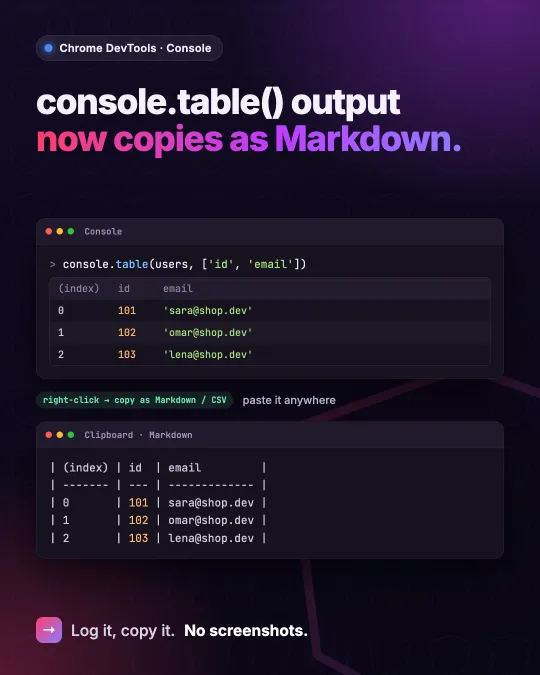
Chrome DevTools 152 lets you copy a console.table() as a Markdown table or CSV from the context menu. Here is how the columns argument shapes the copy.
Chrome 152 adds a copy option to tables logged with console.table(). Right-click the table in the Console and pick the Markdown or CSV copy option. The table goes to the clipboard as a formatted Markdown table or as CSV data.
A screenshot of the Console is a poor way to share data, because nobody can copy a value back out of an image. The Markdown copy pastes as a real table into an issue or a pull request description, and the CSV copy goes straight into a spreadsheet.
Pick the columns first
The second argument of console.table() limits which columns the table shows, so it also decides what you share. Pass a property name or an array of names when you log an array of objects, or indices when each row is itself an array. Leaving a field out helps when an API response carries data that has no business in a public issue.
In an Angular component I read the signal and pass the array straight in. For an HttpClient call I do the same inside subscribe().
// users is a signal holding User[]
console.table(this.users(), ['id', 'email']);

// or with HttpClient
this.http
  .get<User[]>('/api/users')
  .subscribe((users) => console.table(users, ['id', 'email']));
Sources
I post short notes like this on LinkedIn.