Angular 22.2 ·
Angular 22.2 error boundaries: one broken widget no longer blanks the page
Angular 22.2 adds @boundary and @error blocks: catch rendering errors in one part of a template, show a fallback and retry with $reset. Developer preview.
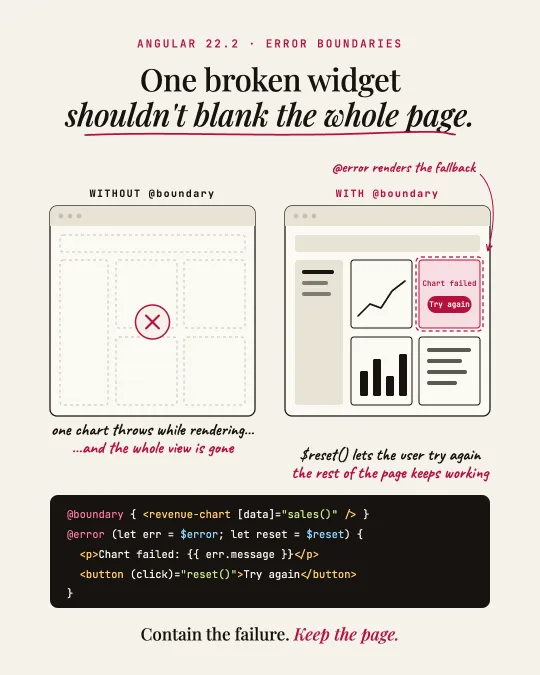
Before Angular 22.2, an error thrown while a component rendered could take the whole view down. One chart with bad data, and the user looked at a blank page.
22.2 adds error boundaries to the template syntax. Wrap the risky part in @boundary, and if a component or directive inside throws during initialization or change detection, Angular renders the @error block instead.
@boundary {
  <app-revenue-chart [data]="sales()" />
} @error {
  <p>The chart failed: {{ $error.message }}</p>
  <button (click)="$reset()">Try again</button>
}
$error is the caught error. $reset() clears the boundary and renders the original content again, which helps when the data behind the failure has changed since.
Different fallbacks for different errors
An @error block can take a when condition. Angular checks the blocks in order and uses the first one whose condition is true, so put the specific ones first and end with a plain @error as the catch-all.
@boundary {
  <app-chart-dashboard />
} @error (let err; reset = $reset; when isNetworkError(err)) {
  <p>Network issue. Check your connection.</p>
  <button (click)="reset()">Retry</button>
} @error {
  <p>Something went wrong: {{ $error.message }}</p>
}
Two things to know first
A @boundary around <ng-content /> does not catch errors from projected content, because that content belongs to the template that declares it. Put the boundary in the parent template, around the wrapper component and its children.
Caught errors can still reach your error tracking: implement the optional onViewError method on your custom ErrorHandler. If an @error block throws, the error goes to the next outer boundary, or becomes an unhandled application error.
Where I would start
@boundary is in developer preview, so the API can still change. I would use it around third-party widgets and data-heavy components first, and keep the app shell outside it. For components created in code there is an onError option, which catches rendering errors too but leaves the fallback to you.
Sources
I post short notes like this on LinkedIn.