Accessibility ·
Accessibility is a business argument now: one tree, three readers
Assistive technology, AI agents and German law (BFSG, since 28 June 2025) all depend on the same accessibility tree. Why one fix now serves three audiences.
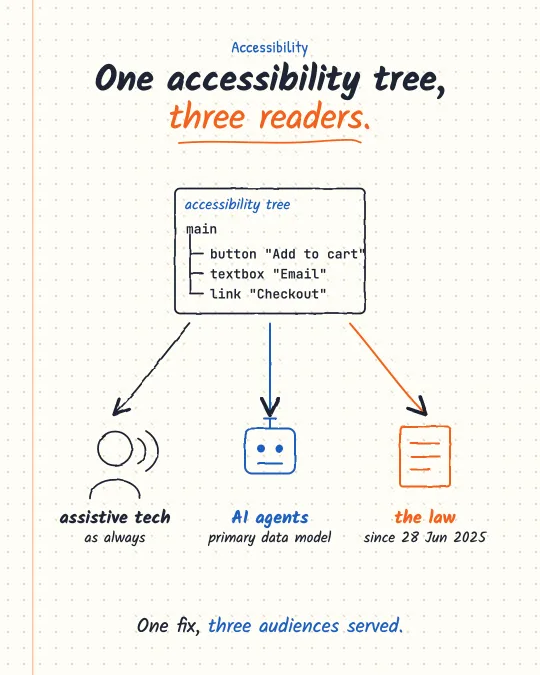
The web accessibility business case used to rest on one group of people and a sense of duty. In 2026 three different readers depend on the same accessibility tree, the structure a browser derives from your HTML and ARIA, and two of them are new. That changes the conversation with whoever sets the roadmap.
Reader one: people using assistive technology
Screen readers, switch devices and voice control read the accessibility tree, as they always have. A real <button>, a label on every input and an accessible name on icon-only controls are what make a checkout usable without a mouse.
Reader two: AI agents
Chrome's agent-ready guide says agents use the accessibility tree as their primary data model, and Claude's browser tool works through the same tree plus forms and screenshots (details in the earlier note on agent UX). An unlabeled div with a click handler is as invisible to an agent as it is to a screen reader. As more purchases and sign-ups start with an agent, that is lost business, not a compliance footnote.
Reader three: the law
In Germany the Barrierefreiheitsstärkungsgesetz (BFSG), which implements the EU Accessibility Act, Directive (EU) 2019/882, applies to the services it lists when they are provided to consumers after 28 June 2025. The list in § 1 includes "Dienstleistungen im elektronischen Geschäftsverkehr", e-commerce services, alongside telecommunications, banking, e-books and passenger transport. For an online shop that is the current state, not a future deadline.
One fix, three audiences
The three readers consume the same tree, so the same fix serves all three. That is what makes accessibility the cheapest feature on most roadmaps: the work is usually small (semantic elements, labels, focus order, contrast) and the return is counted three times. The Angular team has already drawn that conclusion for generated code: the best-practices prompt it publishes for AI coding tools states that output must pass all axe checks and follow WCAG AA minimums, including focus management, colour contrast and ARIA attributes.
A quick way to see what two of the three readers see: open the Accessibility pane in Chrome DevTools, or run an axe scan in Lighthouse, and read the tree instead of the pixels.
Sources
- BFSG, § 1 Anwendungsbereich (gesetze-im-internet.de)
- Make your site agent-ready (Chrome for Developers)
- LLM prompts and AI IDE setup, best-practices.md (angular.dev)
I post short notes like this on LinkedIn.
Need help with this?